

Whether it’s a report you prepare every Monday, a business proposal you send every time a new client comes on board, or a monthly presentation that takes you hours to put together from scratch, you’re surely familiar with that feeling of frustration at having to “reinvent the wheel.”
To solve this headache, ChatGPT Work includes @Template-Creator, a feature designed to take a document you’ve already created and learn exactly how it’s structured. It analyzes the structure, sections, hierarchy, tables, and even the writing style to turn it into a reusable template.
The best part is that you don’t have to limit yourself to a single format: you can provide a Word file, PDF, presentation (PowerPoint), spreadsheet (Excel/Google Sheets), Google document, or even an entire folder full of reference files.
Below, we’ll show you how to set up your first template step by step to automate your recurring deliverables.
Step-by-Step Tutorial
How to Turn Any Document into an Editable Template
Imagine that you have to submit the same performance or content report every week. Instead of explaining the instructions, format, and headings to ChatGPT from scratch every time, follow these three simple steps:
Step 1: Choose and upload your reference document
Open ChatGPT Work on your computer (web or desktop version) and attach the file that best represents the format you want to replicate.
💡 PRO Tip: If you have five different versions of the same report, select the one that looks best—the one with the exact formatting, properly aligned tables, and the ideal level of detail. The better the reference, the more accurate the template will be.
Step 2: Mention @Template-Creator with a clear prompt
In the chat box, mention the tool directly and instruct it to analyze your file.
Copy and adapt this prompt:
@Template-Creator Convert this document into a reusable template for my weekly content reports. Preserve its structure, hierarchy, visual style, tables, sections, and writing style.
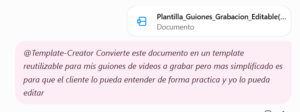
In just a few seconds, the tool will process the file, extract the document’s “skeleton,” and prepare the technical structure for you to use whenever you want.
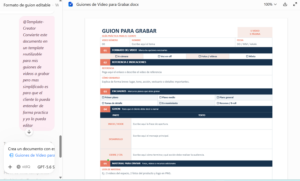
Step 3: Generate your new documents in seconds
The next time it’s time to turn in the report, you won’t have to worry about the design or structure anymore. Just open the chat with the template ready and enter the raw data or the new information from that week.
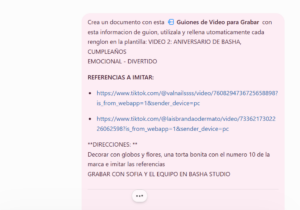
Example of how to request the new version:
“Generate this week’s report using the saved template with this information: [Paste your notes, metrics, or to-do list here].”
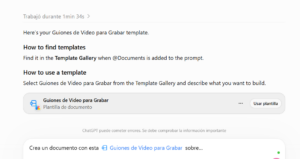
ChatGPT Work will take the latest information and automatically format it according to the exact structure, tables, and tone you previously defined.
Can you imagine how it can help you?
- Eliminate repetitive work: You’ll stop wasting time copying, pasting, and deleting text from old documents just to rewrite over them.
- Maintain visual and brand consistency: All your reports or deliverables will always have the same professional quality and organized structure.
- Reduce the margin for error: With predefined sections (tables, executive summaries, KPIs), you’ll never forget to include important information.
- Set up processes so they are 100% ready to run automatically every week or every month.